
Building Apps with Copilot Cowork’s App Skill
A few weeks ago, Microsoft released the ability to build apps inside Copilot Cowork. Why is Copilot Cowork such a game changer for app creation?
- You can choose the language model to use in generation (from a limited set, but there are some really nice ones). This is possible because generating the application consumes Copilot Credits.
- The application uses Power Platform connectors . No restrictions on data storage locations like App Builder / Vibe Power Apps.
- The applications reside in the Power Platform environment just like Code Apps.
- The application’s source code is stored in Git.
- The resulting applications are managed apps. They can all be found in the Managed Apps portal and include dedicated management tools.
In short. This way, creating applications is efficient and functional, and they can be managed in the way organizations require.
Any downsides?
Using these apps consumes Copilot Credits, although few details have been released about this mechanism.
But let’s try how to make these!
Example – Interactive Gantt Chart
Let’s use the same example I used in my previous Vibe Power Apps article. That is, we ask Cowork to build an application that can schedule work appointments. We use the following as a prompt.
Make an app for users to schedule work appointments. I like to have a Gantt style view showing work appointments. by default view should show appointments for next 7 days. User can easily add new appointments and edit existing ones (clicking appointment opens the edit form). But the user should also be able to drag appointments on the Gantt view. whole appointment to new location or just drag from the beginning or the end of appointment.
I chose Claude Sonnet 5 as the model for this example.

Copilot Cowork gets to work. We see that it activates the App skill (1). By clicking on the name of the application to be created (2), a preview view opens for us.

A few minutes later, the first version of the app is ready. And it’s not bad at all.
The app allows you to create appointments. Each appointment has
- Title
- Class
- Date
- Start and end time
- Customer
- Location
- Description
However, we would like to make a few changes.
- Meetings can last several days.
- There is always a factor involved in a meeting.
- The Gantt chart should show time in columns and each row should show either the tasker or the client.
Let’s ask Cowork to make these changes.
Let's make the following changes:
- Appointments can span multiple days, so an end date is also required.
- Appointments should be assigned to an engineer.
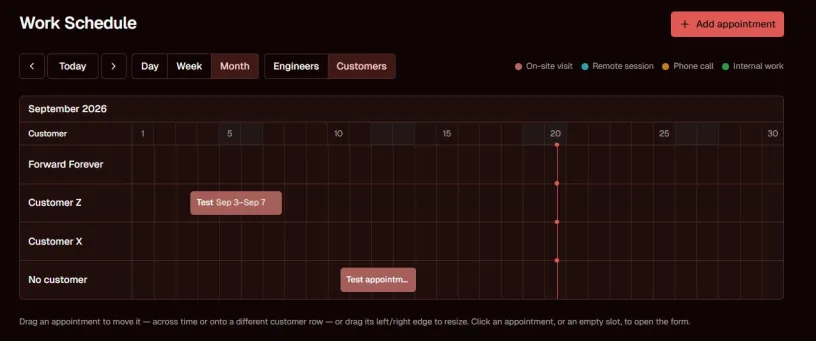
- In the Gantt view, the columns should represent time, allowing users to see the entire timeline.
  Users should be able to choose whether they want to view appointments by day, week, or month.
- The rows should represent either engineers or customers. Users should be able to choose which view they want.
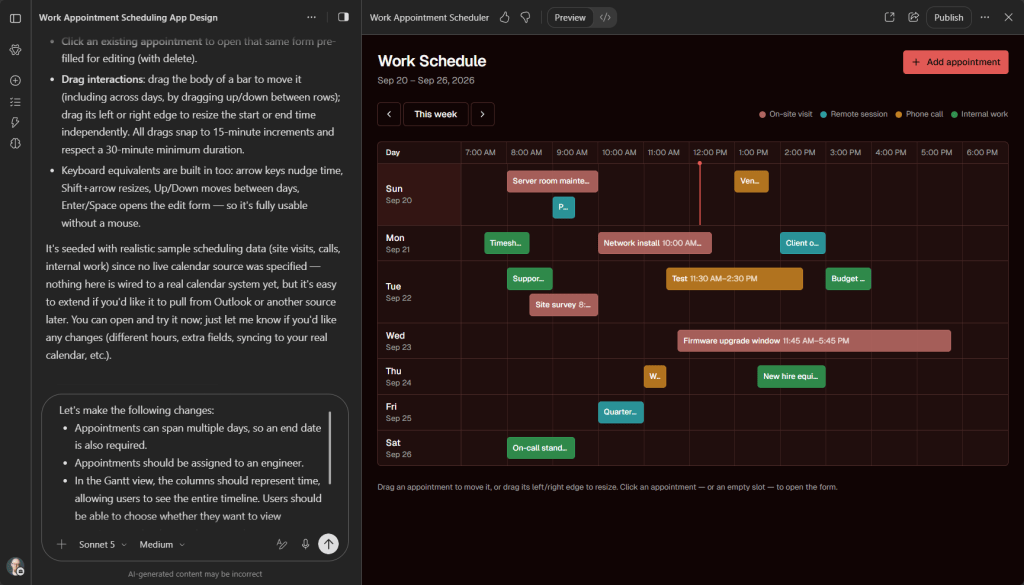
It will take a while to make the changes. After this, the application will work as we want.
I did the same example a little over a year ago with generative pages. Back then, it took over an hour to prompt a working application. Now, I can achieve a better result in 15 minutes.
At this point, the application doesn’t store data anywhere. I want to use SharePoint as the application’s data source and I ask Cowork to tell me what kind of lists should be created for the application.
I'd like to use SharePoint lists as the data source for appointments, customers, and employees.
Can you propose a data model and recommend the SharePoint lists and columns that I should create?

Cowork provides detailed instructions on what kind of SharePoint lists should be created.

Cowork doesn’t have the rights to create these lists in SharePoint, so I made them myself, with the good instructions provided by Cowork.

Next, Cowork is asked to modify the application so that it uses the created lists as the application’s data repository.
i created the lists you proposed (Appointments, Employees, Customers) on
https://forwardforever.sharepoint.com/sites/TimoDevEnv/
Can you now update the app so that it uses those lists as datasources?
Cowork starts planning the change. Cowork asks for permission to create a SharePoint connection. The connection allows the application to read data from SharePoint and write it back.

Cowork plans and codes again in its time, after which the tool displays the data from the SharePoint list. Impressive!

Although the celebrations were premature. While testing the application, I noticed that
- Events can no longer be dragged from one person to another.
- After dragging appointments, the new times are saved, but the app displays a bar at the original time.
- The form still shows the sample employees generated in the original version.
Let’s ask Cowork to fix these. After a short wait, the bugs have been fixed. I’m happy with the end result.
So how much did it cost to build? Type /cost to find out. ~1600 Copilot credits, or 16 euros.

Publish the application.

Finally, I shared the app with my colleagues.

When a user opens the app for the first time, they are asked for permission to use the SharePoint connector. Just like with Canvas Power Apps.

There it is!

By navigating to https://managedapps.cloud.microsoft/ you can see all the apps you have created and those shared with you.
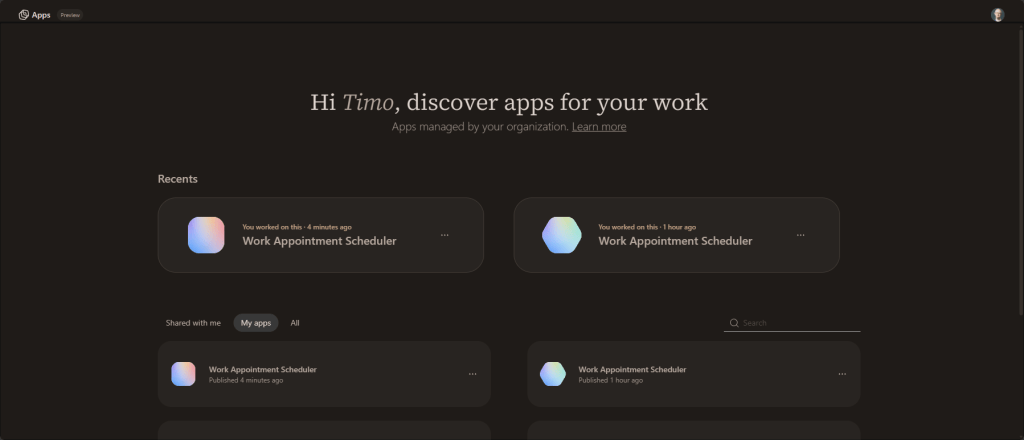
You can manage the applications you create from the M365 Admin center. But more on that later.
Summary
The App Skill works remarkably well, especially considering how new the feature is. One reason for this is probably that it’s paid for on a token basis, which allows it to use powerful language models. The cost is borne by the customer’s organization rather than Microsoft.
At this point, it’s hard to see how App Builder or Vibe Power Apps can compete with this experience.
On top of that, the management features behind the resulting applications are already quite decent. Microsoft is rapidly building a compelling vibe-coding platform for citizen developers, while still providing the governance and management capabilities that large organizations require. Then there are also Power Apps Code apps, Model-driven apps, and Generative pages for the rest of us.