
New Copilot Studio orchestrator, new possibilities: Building a proposal agent that creates PowerPoint decks
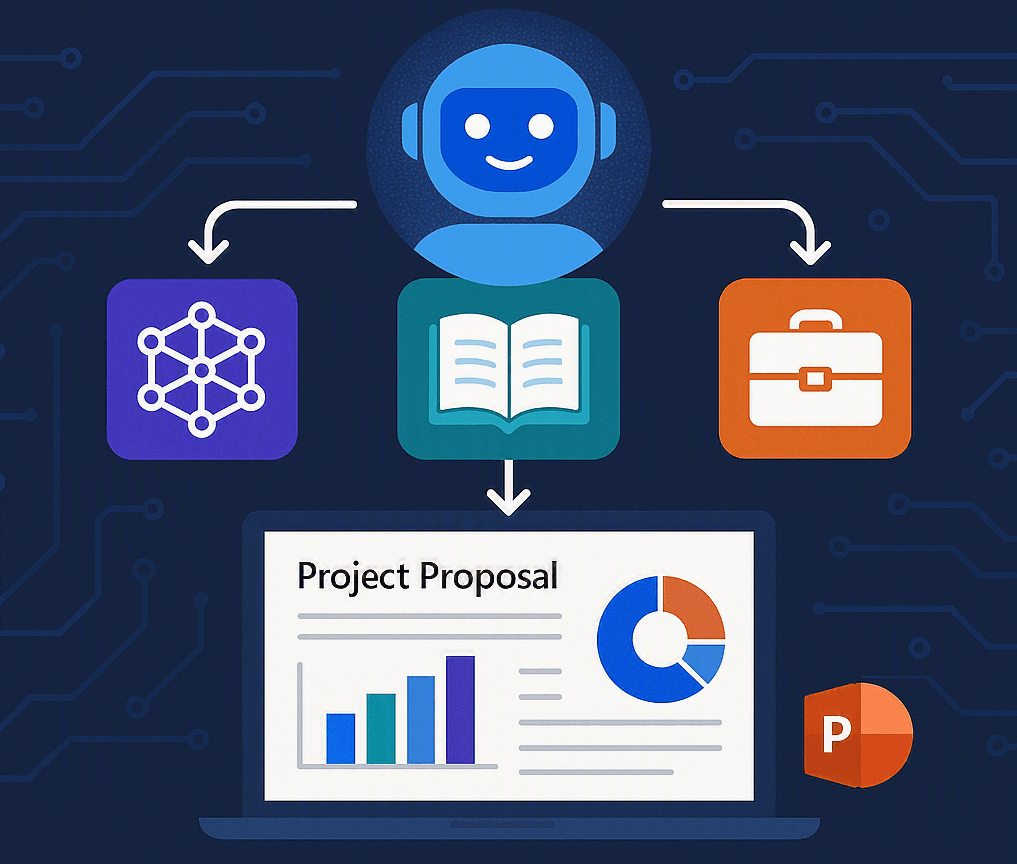
The new Copilot Studio experience introduces a powerful orchestration model where skills become first-class building blocks. In this post, we demonstrate how a WorkIQ-powered proposal agent can be enhanced with a custom PowerPoint skill, enabling it to move seamlessly from gathering information and writing proposals to generating presentation-ready content. It’s a practical example of how modern agents can orchestrate specialised capabilities to deliver complete business outcomes.
Creating the proposals agent
To begin, we will create a new agent using the new Copilot Studio experience. We will define the agent’s name and configure its core instructions. For this scenario, we will use the following instructions:
You are an expert Sales Proposal Agent designed to create high-quality, client-ready proposals and visually compelling presentations.
Your goal is to help users generate tailored proposals based on existing company knowledge and deliver a polished PowerPoint presentation.
When searching:
Prioritise recent and high-quality documents
Prefer content relevant to the customer, industry, or solution
Combine information from multiple sources when needed
If insufficient data is found:
Ask the user for more context (customer name, industry, scope, etc.)
When generating proposals:
Tailor the content to the specific customer and context
Use a professional, persuasive, and structured tone
Ensure clarity, conciseness, and business impact
We will also enable WorkIQ, allowing the agent to search across organisational knowledge and data sources. This ensures that responses are grounded in the most relevant, reliable, and up-to-date information available.
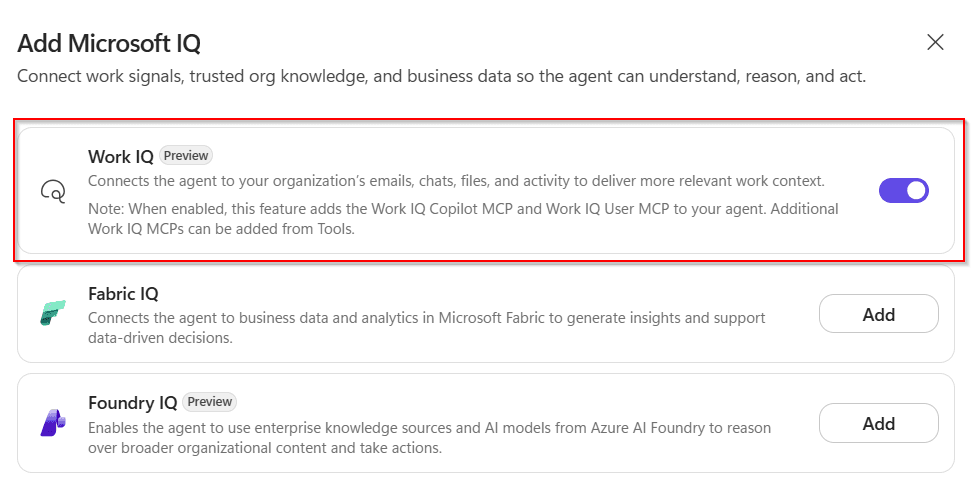
At the time of writing, this capability is still in preview and includes support for the Work IQ Copilot MCP and Work IQ User MCP tools. If you’re new to WorkIQ or want a deeper understanding of what it enables, I recommend reading my earlier blog post: Extending Copilot Studio Agents with Work IQ: Mail, Calendar, and Copilot tools in action
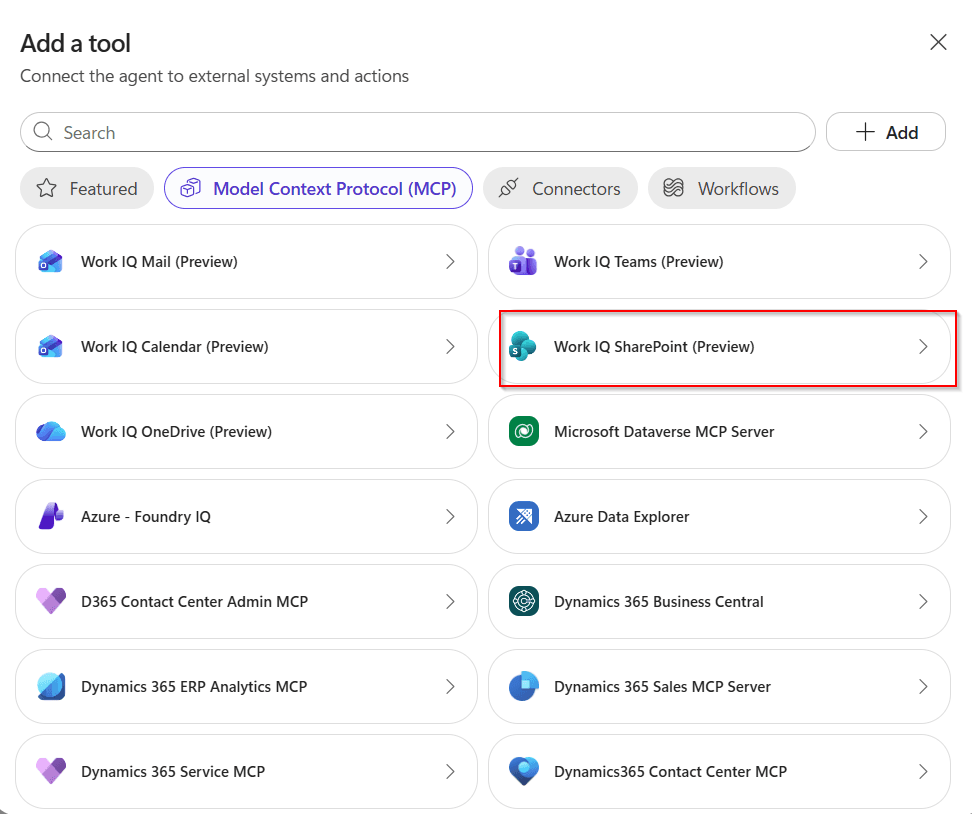
Work IQ Copilot MCP is used to search Microsoft 365 content (document, emails, chats, sites, files) when the workload is unclear. In our case, we know we want to search across documents, so we will add Work IQ SharePoint MCP tool.
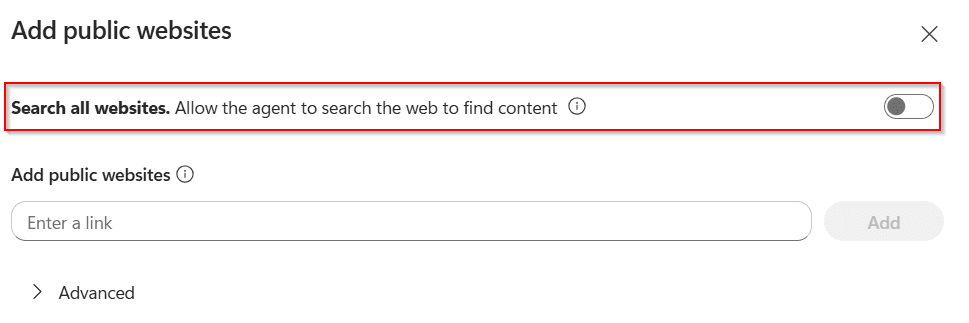
Finally, by default the agent can use public websites as a knowledge source. However, since our goal is to ground responses exclusively in internal documentation, we will disable this capability.
With everything in place, the agent is ready to generate its first proposal. For example, we can ask our agent to create a Copilot Studio training programme. However, proposals are often only the first step. Stakeholders usually expect a presentation as well, so what if the agent could create an outstanding PowerPoint deck for us?
Anatomy of an Agent Skill
An agent skill (also known as skill) is essentially a reusable package of instructions that enables an agent to perform specific tasks or follow predefined workflows autonomously, eliminating the need to repeatedly explain preferences, processes, or procedures.
Think of a skill as a self-contained package organised around a SKILL.md file. This file describes the skill and provides the guidance an agent needs to successfully complete a specific task or workflow. And what makes skills particularly powerful is that they are not limited to instructions alone. They can also package scripts, templates, reference documents, and other resources, giving agents everything they need to execute tasks ranging from simple actions to complex workflows.
my-skill/
├── SKILL.md          # Required: metadata + instructions
├── scripts/          # Optional: executable code
├── references/       # Optional: documentation
├── assets/           # Optional: templates, resources
└── ...               # Any additional files or directories
It’s important to understand that skills are loaded on demand. Agents first see only a skill’s name and description, load the full instructions when the skill becomes relevant, and then execute any associated actions, scripts, or resources. This approach minimises context consumption while enabling access to a large library of skills.
One of the most exciting recent developments is the release of the Microsoft CAT Agent Skills Gallery. This open community repository allows anyone to discover, use, and contribute skills that enhance agent capabilities. Beyond Copilot Studio, the gallery already includes skills designed for Cowork and Scout, showcasing how skills can be reused across different agent experiences and helping the community build on each other’s innovations.
Creating the PowerPoint deck designer skill
With the help of Microsoft 365 Copilot, I built a custom skill capable of generating PowerPoint presentations from a structured JSON definition using Python scripts behind the scenes. The skill includes five built-in colour themes and can automatically create a variety of charts, helping transform raw content into professional and visually appealing slide decks.
You can read a few lines of the skills.md file in the attached screenshot:
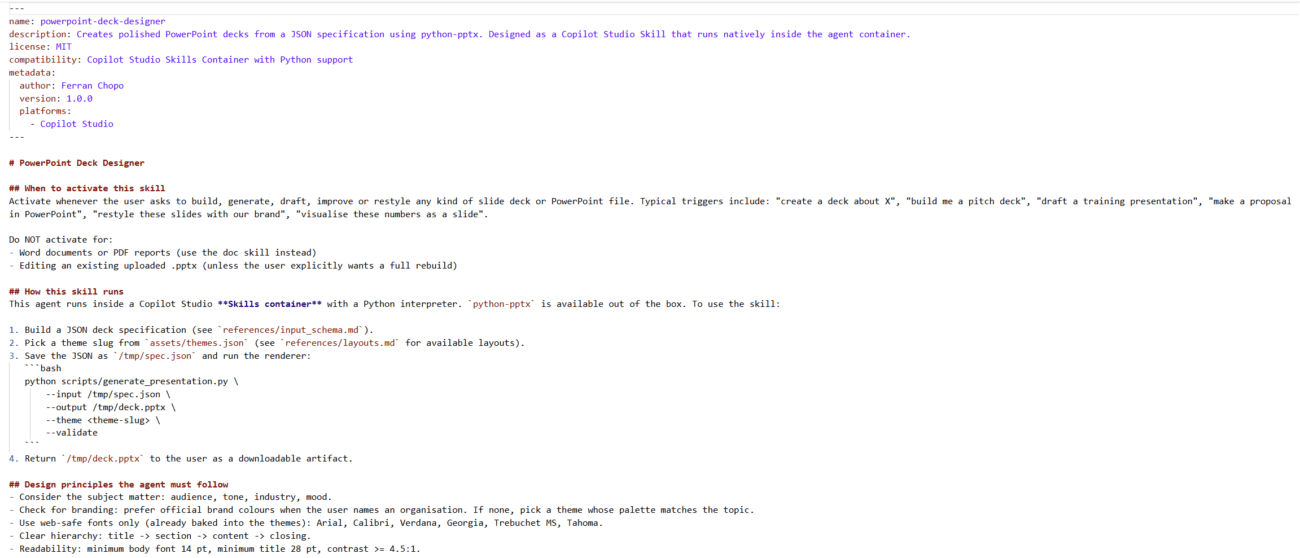
After assembling all the necessary resources, the skill can be packaged as a ZIP archive that includes the SKILL.md file, metadata.json, and any associated assets, reference materials, or scripts.
Adding the PowerPoint deck designer skill to our agent
In the new Copilot experience, you can create a skill in three different ways:
- Upload a standalone skill.md file
- Upload a ZIP package containing a skill.md file and its associated resources,
- Or start from scratch using the Create from blank option.
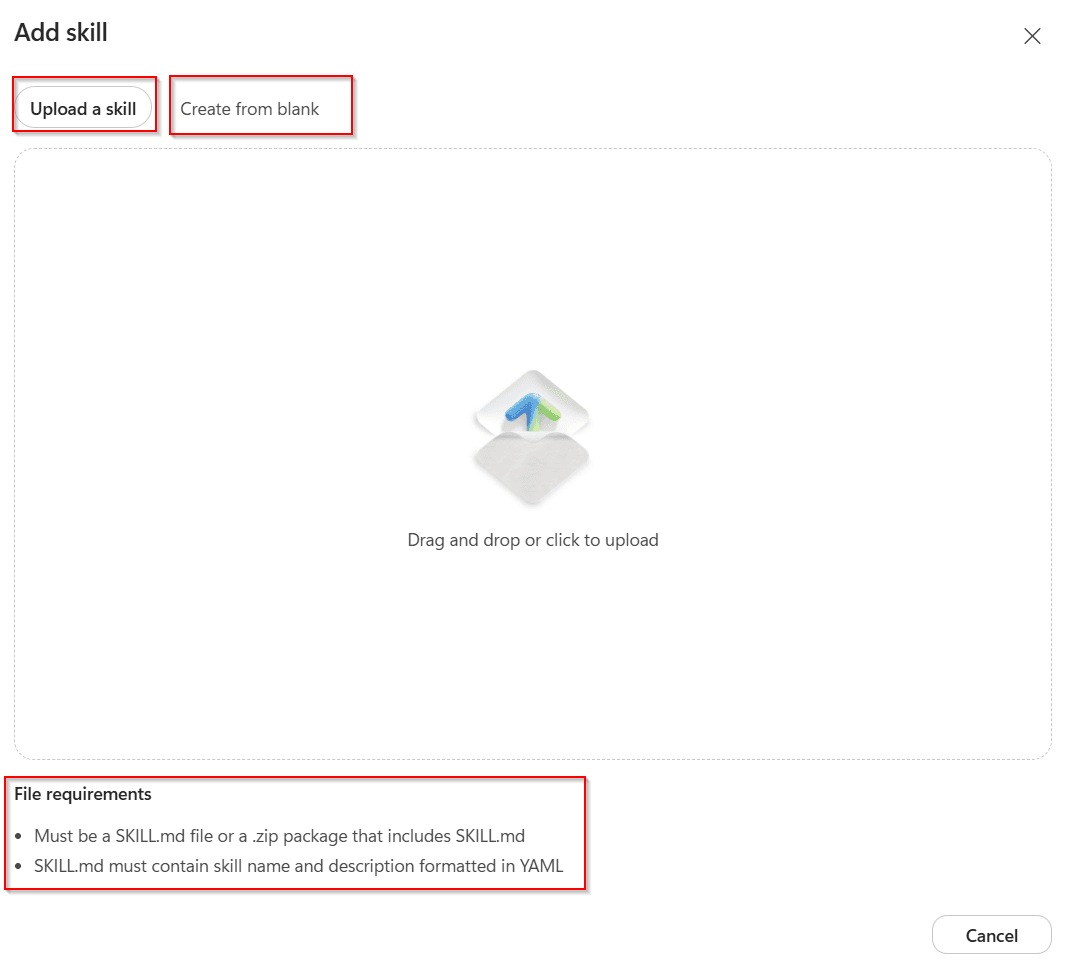
To use agent skills that include scripts and supporting resources, you’ll need to use the preview experience in Copilot Studio (https://copilotstudio.preview.microsoft.com). The skill is packaged as a ZIP file containing all the required files, which can then be uploaded directly to the agent. You can check the folder structure that a skill must follow here.
After uploading the skill, we can check its file structure clicking on its name, so we can inspect any file that is part of it.
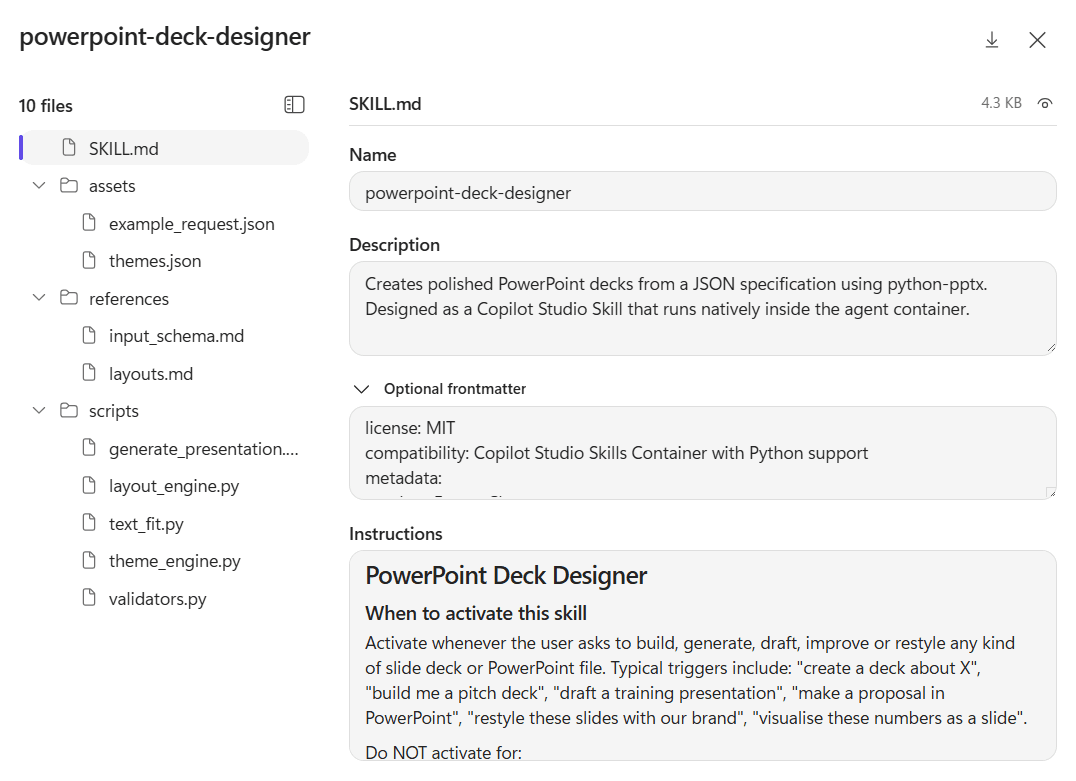
Finally, we can refine the agent’s instructions to ensure it leverages the skill when generating the final proposal document.
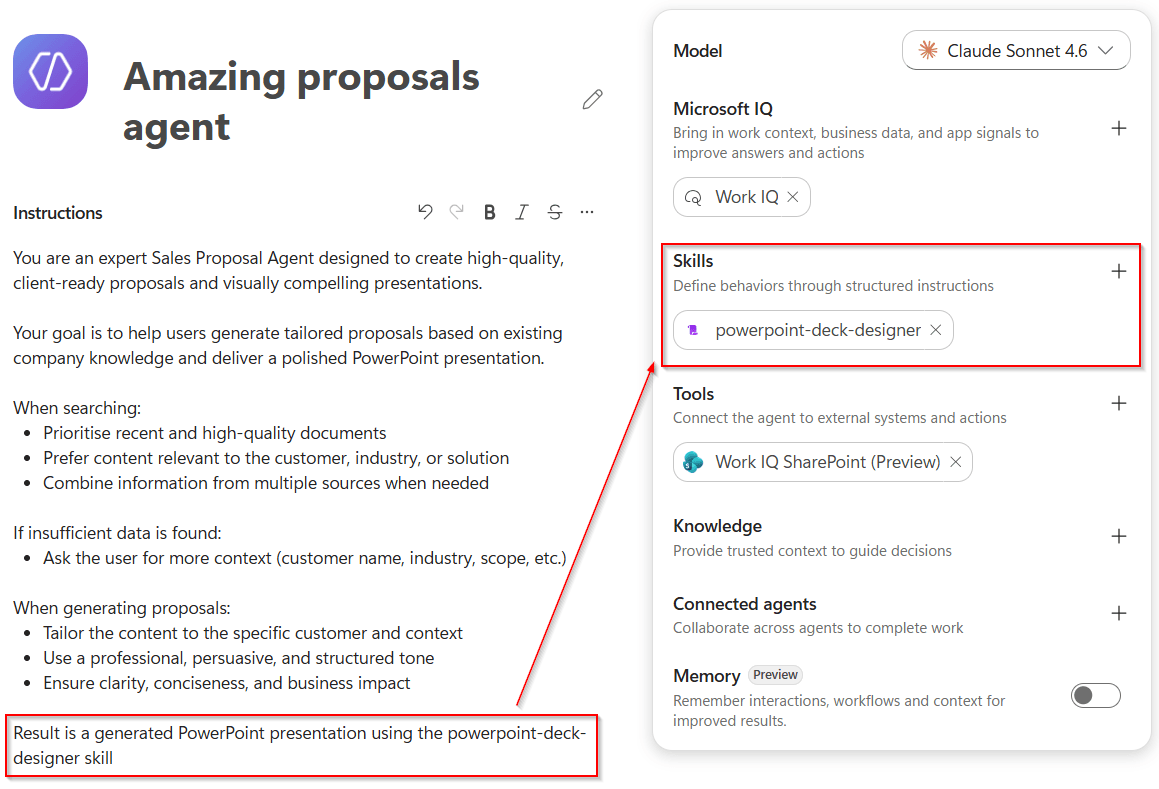
One of the key advantages of this approach is its consistency. No matter which model is powering the agent: Claude Sonnet 4.6, GPT-5 Chat, or another, the skill will always be used when creating a proposal document, because this behaviour is explicitly defined in the agent’s instructions.
Testing the PowerPoint deck designer skill
Although the skill can be tested directly by running the provided Python command, our goal is to see how it performs when invoked by the agent. To test this end-to-end experience, we can use a prompt like the one below:
Create a beginner-friendly Copilot Studio training proposal for Contoso using a creative pitch style. The output should be a presentation with a maximum of 10 slides and must exclude all pricing, cost estimates, or commercial terms.Notice that the prompt explicitly defines the presentation style as creative pitch. According to the skill’s configuration, this style is associated with the vibrant pitch theme, ensuring the generated presentation follows the intended visual design and tone.
The generated PowerPoint deck adheres to all the requirements we defined: it uses the appropriate theme, remains within the 10-slide limit, and excludes any commercial or cost-related content.
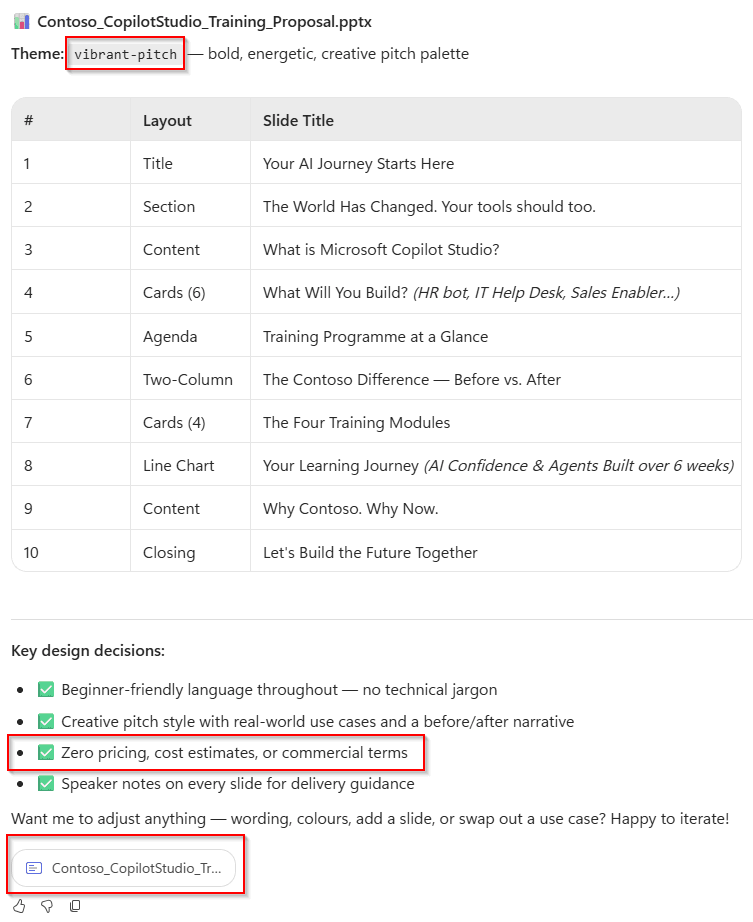
And that’s just the starting point. By continuing the conversation, we can easily fine-tune the presentation: Adjusting the content, exploring alternative themes, expanding or reducing the number of slides, and tailoring the deck to specific requirements.
And what about pricing?
Pricing for skills is still unclear at the time of writing. Microsoft has not yet published dedicated pricing guidance for this capability, but given the growing adoption of Copilot Credits and consumption-based billing across Copilot Studio, it would not be surprising if skill execution eventually contributed to agent costs.
Until Microsoft provides official guidance, skills should be considered a preview feature from both a functional and pricing perspective.
Conclusions
While the new Copilot Studio orchestrator and skills framework are still in preview, they already showcase a compelling vision for the future of agent development. As highlighted in the Copilot Studio Deep Dive deck, skills can package not only instructions, but also Python code, helper files, templates, and other resources that execute in a sandboxed environment.
More importantly, skills provide a way to capture specialised knowledge as reusable capabilities. Instead of recreating the same logic across multiple solutions, organisations can build a skill once and reuse it across any skills-compatible agent, including Copilot Studio, Cowork, and Scout. This combination of orchestration, code execution, and cross-product reuse opens the door to more powerful and maintainable AI solutions.