
Dataverse for Teams Is Going Away. How Should You Replace It?
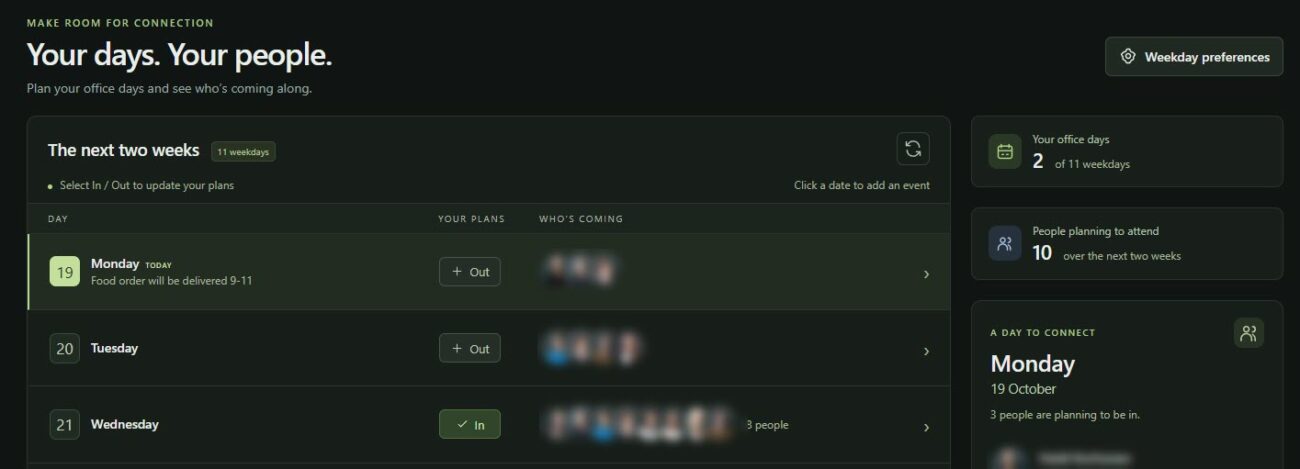
Some of us still remember Dataverse for Teams. It’s a stripped-down version of Dataverse that can be used with Microsoft 365 licenses. I’ve even built a few solutions with it myself.
But now something needs to be done, as Microsoft will be shutting down Dataverse for Teams environments next year. The schedule is as follows:
- After November 15, 2026 , no new Dataverse for Teams environments can be created.
- On September 15, 2027, all Dataverse for Teams environments will be suspended . Applications, workflows, agents, and data will no longer be available to users.
- On October 15, 2027, all Dataverse for Teams environments will be removed.
There’s still time, but it’s worth starting to plan this a little. Of course, it makes it easier to know what the options are.
Option 1 – Upgrade to full Dataverse and purchase additional licenses
The easiest way is to upgrade your Dataverse for Teams environment to a full Dataverse environment. And acquire the necessary licenses for all users (e.g. Power Apps Premium). This way, everyone can continue to use the apps and workflows as before.
The problem here is that those licenses were probably the reason why Dataverse for Teams was chosen as the platform, and not Dataverse, in the first place.
Option 2 – Change the solution to use SharePoint lists instead of Dataverse for Teams
A slightly more laborious option is to modify the solution so that it utilizes SharePoint lists as the data repository instead of Dataverse for Teams.
The problem here is that the original intention was probably to use a proper relational database instead of SharePoint lists. The goal was to have real relations, there are a lot of rows, or the slowness of SharePoint in this use case was simply an obstacle.
Option 3 – Upgrade to full Dataverse and replace the application as a managed application
I think this is the most likely upgrade path for many organizations.
- Rebuild the application to be used as a managed app. This way, usage is included in the Power Apps Premium license (if the user has one) or usage is charged at 0.1 Copilot Credit per API call.
- Converting a Dataverse for Teams environment to a full Dataverse environment
Let’s see next how this is roughly done.
Example – My Office Days app
We have an application at work that uses Dataverse for Teams, which allows users to tell others when they are coming to the office.

Let’s make this a managed application.
Application specifications
Defining the application is easy, as we already have a working application that is copied as is. We download the Dataverse for Teams solution package to our own computer. We only include the tables and application used.

Note: If a separate development and test environment did not exist for the original solution, you can create them using this solution package.
Add the extracted solution package to the VS Code working folder and ask GitHub Copilot to write a description of the application and the data model it uses.


The descriptions seem quite good. However, let’s read them through and check that the content is accurate.
Making a managed application
The agent is asked to make a corresponding managed application.

NOTE! For now, the Git repository used in the project can only be set here. If you don’t do this and want to store the source code on your own GitHub instead of the one provided by Microsoft, you will have to create a new project.
The agent had some trouble adding existing Dataverse for Teams tables to the solution. At first, it stubbornly tried to add them from the development environment (where they didn’t exist). Eventually, the agent realized that it could add tables from any Dataverse environment to the solution.
The first version of the app looks promising.
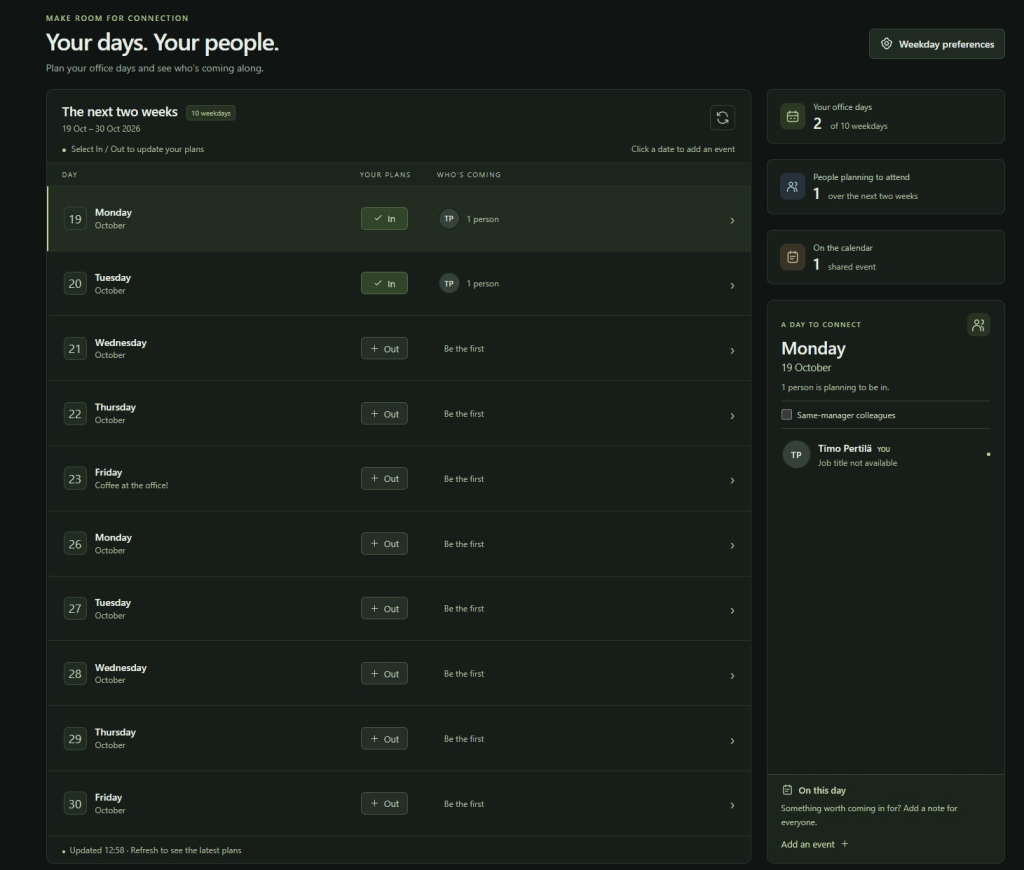
The agent likes to add all sorts of little details to the user interface. Let’s clean up everything unnecessary from it. The end result is quite functional.

Application development and testing with test data?
Managed applications are developed on your own workstation and published to Copilot Managed Runtime for others to use . What if I want to test the application using Dataverse data in the test environment?
We ask the agent to add tables from both environments to the project, and to build a mechanism that allows us to easily switch between the two environments.
The agent creates environments for us, each with its own data sources. The .active file defines which environment is used.

When the application is compiled ( npm run build ), only the data sources for the selected environment are included.
Optimizations
Finally, I ask the agent to make a few smaller optimizations. First, to only retrieve users’ profile pictures once if the same user is coming to the office multiple days. Second, I ask the agent to optimize the retrieval of data from Dataverse when launching the application. By default, these agents like to retrieve all data sequentially, even if they could be retrieved in parallel.
Publication
I’m happy with the end result, I’m publishing the app and sharing it with all users. It uses the same data store as our Dataverse for Teams app. At some point next year, we’ll just need to upgrade that environment to a full Dataverse environment and we’ll be good to go.
Summary
Although managed apps seem like the best option to replace Dataverse for Teams, I wouldn’t recommend rolling up your sleeves just yet. Managed apps are still in preview. In practice:
- There are definitely more improvements to come when it comes to ALM.
- The promising pricing model may still change.
But if you have Dataverse for Teams applications in use, it’s worth monitoring the development of managed applications during the spring.